

A cool perk of being an able developer is the ability to, if you want, improve or add to the tools you use daily and allow others to benefit from it.
Many programming languages, such as Python, Ruby, etc. Allow developers to submit their own scripts in the form of packages to a centralized repository from which other programmers may download and integrate them into their own work.
This is particularly useful during tight scheduled developments when you need a tool which you don’t have the resources to build, or you just can’t be bothered with it, since someone already did a great job creating it for you.
In this post I will show you how to develop and maintain a ruby gem. So let’s begin by answering the question “what exactly is a gem?”. Well, it’s essentially a package or library for the ruby programming language. As in many programming languages, Ruby is backed up by a package manager, RubyGems, thatbrings ease of use in integrating these shiny gems into your own work.
OK, so now we just need an idea. Personally when trying to build something I always find it better to start with something small and simple, and then over-engineer the crap out of it just for fun. Those who are familiar with Ruby know of the particularity in which the objects that represent Truth and Falsehood are instances of unrelated classes, respectively TrueClass and FalseClass, which share no common Boolean class parent, only the generic Object class. This leads to some lack of flexibility regarding data type conversions, since there is no meaningful class to which to convert to. Not that it would be extremely useful but having a script that allowed us to convert, let’s say, text strings to booleans seems neat and simple.
Let’s start by creating the directory structure:
booler/
 \ lib/
 \ .
Our root will be the booler folder with a lib subfolder.
Next we need a specification file which will contain the information of your gem. You will have to provide at least the following attributes:
- name (the name of your gem)
- version (the gem’s version)
- authors (list of authors for this gem)
- summary (a short description of your gem)
- files (Your gem’s source code)
here’s an example:
# booler/booler.gemspec
Gem::Specification.new do |s|
  s.name = "Booler"
  s.version = "0.0.1"
  s.authors = "Pincho"
  s.summary = "adds method to string class allowing direct conversion to boolean"
  s.files = [
    "lib/booler.rb"
  ]
end
Our gem’s source code will be stored in the booler.rb file. Implementation-wise I propose to extend the String class and give it a new to_b? method.
# booler/lib/booler.rb
class String
  def to_b?
    self.match?(/true/i)
  end
end
Let’s build our gem.
$ gem build booler.gemspecYou probably noticed the creation of a Booler-0.0.1.gem file, our code is now in a distributable format and usable by RubyGems. Now let’s install the gem in our system and test it:
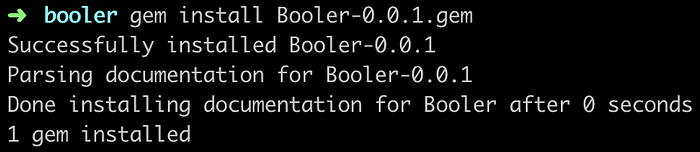
$ gem install Booler-0.0.1.gemAfterwards you should see a success message:
Great!! But does it work?
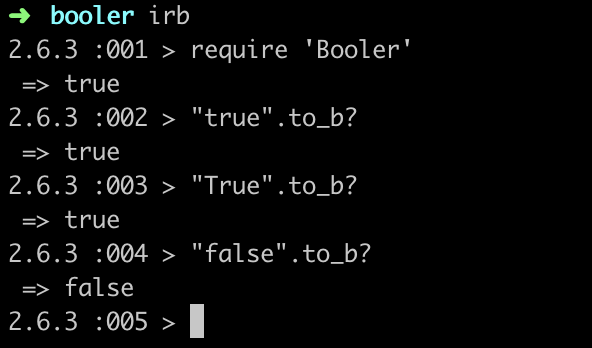
It does!! Hurray for us 🎉 . Having gotten this far why not share it with the community? My suggestion is to do so through https://rubygems.org/, just sign up and upload your gem.
$ gem push Booler-0.0.1.gemSo we managed to convert strings to booleans, but what about integers? They deserve some love too. Seems like a simple proposition, we already have the to_b? method we just need to apply it the Integer class.
The obvious implementation would be, just as we did before, to extend Integer and add the new method. But hey wait a minute, by doing so we would be breaking the “Don’t Repeat Yourself” principle, which usually results in faulty and bloated code that just won’t do us any good.
So believe me when I say that less code is better, as long as readability is ensured of course, so lets instead write a new Booler module and apply it to both classes.
# booler/lib/booler.rb
module Booler
  def to_b?
    case self
    when 1, 'true', 'True'
      true
    when 0, 'false', 'False'
      false
    end
  end
endclass String
  include Booler
endclass Integer
  include Booler
end
You should always be mindful when changing your gem’s behavior, if you look carefully at both Booler implementations you may notice that a non-convertible string such as “abc” returned False in the first and nil in the second. A lot of people’s code may depend on you, so let them know what’s new through a Changelog or Release Notes. Afterwards just publish the new version to RubyGems and voilá, you have created, shared and maintained your own ruby gem.
Currently working as a Full-Stack Developer at Runtime Revolution. My interests include reading, writing and watching every other horror movie that comes out.
Hope you enjoyed the article, let me know if you have any doubts or suggestions.